50 Editable 3D Text Effects: A Workflow Guide for Modern Designers
In the fast-paced landscape of digital content creation, the margin between a design that captures attention and one that is scrolled past is often measured in milliseconds. For professionals ranging from social media managers to freelance illustrators, the ability to produce high-impact typography quickly is not just an advantage; it is a necessity. This is where 50 Editable 3D Text Effects enters the workflow. This collection represents more than a simple asset pack; it is a strategic tool designed to streamline the creative process, reduce production time, and elevate the visual hierarchy of any project without requiring advanced 3D modeling skills.
The core value of this resource lies in its adaptability. Whether you are crafting a promotional flyer for a local event, designing a banner for a corporate website, or creating engaging posts for Instagram, Twitter, and Facebook, these effects provide a robust foundation. By integrating 50 Editable 3D Text Effects into your standard operating procedures, you shift your focus from the tedious technicalities of rendering depth and lighting to the strategic aspects of messaging and brand alignment.
Understanding the Asset Structure and Compatibility
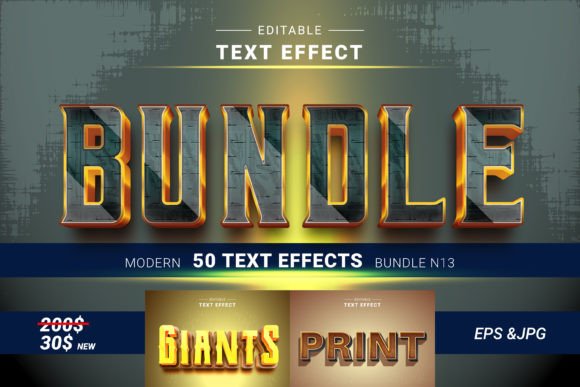
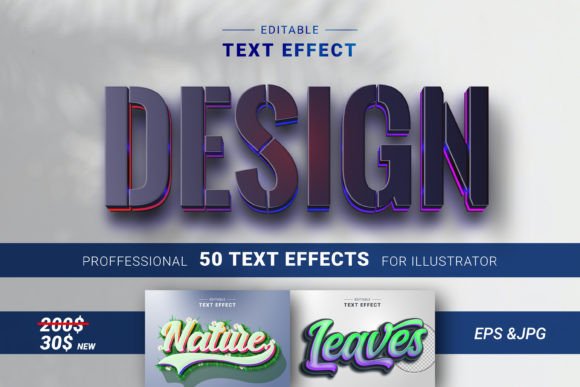
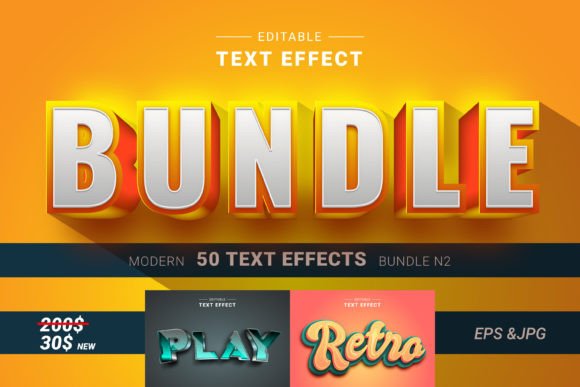
Before integrating any new resource into a design pipeline, understanding its technical specifications is crucial for ensuring compatibility with existing tools. The 50 Editable 3D Text Effects package is structured to work seamlessly within Adobe Illustrator, the industry standard for vector graphics. The collection includes 50 distinct EPS files, which serve as the primary editable assets, alongside JPG previews for quick reference. This dual-format approach supports both the planning phase, where designers might browse thumbnails to select concepts, and the execution phase, where the vector data is manipulated.
A critical feature for modern workflows is the inclusion of RGB color modes. Unlike CMYK-centric assets that may struggle when translated to digital screens, these effects are optimized for the web and social media platforms. This ensures that the vibrant gradients, metallic sheens, and neon glows inherent in 3D typography appear exactly as intended on mobile devices and desktop monitors. For designers managing cross-platform campaigns, this eliminates the need for manual color space conversion, reducing the risk of visual discrepancies and saving valuable time during the quality control stage.
Integrating 3D Text Effects into the Pre-Production Phase
The utility of 50 Editable 3D Text Effects extends well beyond the moment of final export. In the pre-production phase, these assets can serve as powerful mood board elements. When brainstorming concepts for a magazine cover or a poster series, having immediate access to fifty distinct styles allows teams to visualize different tonal directions rapidly. Instead of spending hours sketching rough 3D concepts or waiting for renders, designers can drag and drop these effects into a layout to test how specific typographic treatments interact with imagery and whitespace.
This capability accelerates decision-making processes. For example, if a client is unsure whether a campaign should feel retro-futuristic or sleekly modern, a designer can present three variations using different effects from the pack within minutes. This tangible visualization helps stakeholders understand the impact of design choices before significant resources are committed to final production. Furthermore, because the text is fully editable, these mockups can be updated instantly with real copy, providing a near-final preview of the end product.
Execution: Customization and Workflow Efficiency
The defining characteristic of this collection is the "single-click" editability. Traditional 3D text generation often involves complex mesh manipulation, layer blending modes, and gradient mapping that can stall a workflow. With 50 Editable 3D Text Effects, the barrier to entry is significantly lowered. Once an EPS file is opened in Illustrator, the text layers remain live. Users can type their own message, change fonts, adjust kerning, and modify colors without breaking the underlying effect structure.
This level of customization supports a variety of use cases. A marketer creating a limited-time offer for a flyer can swap the default placeholder text with urgent call-to-action copy while retaining the dramatic 3D depth. An educator designing a presentation slide deck can apply a consistent, professional look to headers across multiple slides by duplicating and editing a single master effect. The ease of use means that even designers at an intermediate level can achieve results that typically require senior-level expertise in 3D rendering software.
To maximize efficiency, consider organizing these assets within a dedicated library folder in your operating system or utilizing Adobe Illustrator's Libraries panel. Tagging effects by style—such as "neon," "metallic," "gradient," or "vintage"—allows for rapid retrieval during tight deadlines. This organizational strategy transforms the asset pack from a static download into a dynamic component of your daily toolkit.
Strategic Applications Across Media Channels
The versatility of 50 Editable 3D Text Effects makes them suitable for a wide array of deliverables. On social media platforms like Instagram and Facebook, where visual competition is fierce, these effects help break through the noise. The dimensional quality of the text draws the eye, increasing engagement rates on promotional posts and stories. Because the files are high-resolution and scalable, they maintain crispness whether viewed on a small smartphone screen or a large desktop monitor.
In print media, such as magazines, brochures, and event programs, these effects add a tactile sense of depth that flat typography cannot achieve. While print requires careful attention to color profiles, the RGB nature of the source files allows for creative exploration during the design phase, with the option to convert to CMYK only at the final output stage if necessary. For web design, the ability to export clean JPGs or trace the vectors for SVG integration ensures that websites load efficiently while maintaining visual appeal.
Small business owners and entrepreneurs can leverage these effects to create professional-grade branding materials without hiring an external agency. From logo variations to seasonal sale banners, the pack provides a consistent aesthetic language that reinforces brand identity. By maintaining a cohesive visual style across flyers, posters, and digital ads, businesses can build stronger recognition and trust with their audience.
Quality Control and Long-Term Value
Sustaining high-quality output over time requires assets that are reliable and future-proof. The thoughtful craftsmanship behind 50 Editable 3D Text Effects ensures that each element holds up under scrutiny. The vector-based nature of the EPS files means they are resolution-independent, allowing for scaling to any size without pixelation. This scalability is essential for long-term projects where a single design concept might be adapted for a billboard, a business card, and a website header.
Furthermore, the editable nature of the files future-proofs your designs. As trends evolve, you are not locked into a static image. If a client requests a color palette update six months down the line, you can return to the original file and adjust the hues instantly rather than recreating the entire graphic from scratch. This flexibility reduces long-term maintenance costs and keeps your portfolio relevant.
When implementing these effects, always perform a final review of the text legibility. While 3D effects are visually striking, they should never compromise readability. Use the customizable features to balance decorative elements with clear communication. Ensure that the contrast between the text and the background remains sufficient for accessibility standards, particularly for web and mobile applications.
Conclusion: Elevating Your Creative Output
Integrating 50 Editable 3D Text Effects into your design workflow is a strategic move that bridges the gap between creative ambition and practical execution. It empowers designers to produce high-caliber visuals with speed and precision, freeing up mental bandwidth for higher-level creative problem solving. Whether you are a seasoned professional looking to expand your toolkit or a beginner aiming to create polished work, this collection offers the flexibility and quality needed to succeed in a competitive visual market.
By adopting these assets, you are not just adding a new effect to your repertoire; you are optimizing your entire production pipeline. From the initial concept phase to the final delivery, the ability to customize, scale, and adapt these 3D text effects ensures that your designs remain impactful, consistent, and aligned with your goals. Unleash a new universe of design possibilities today and transform how you approach typography in your next project.